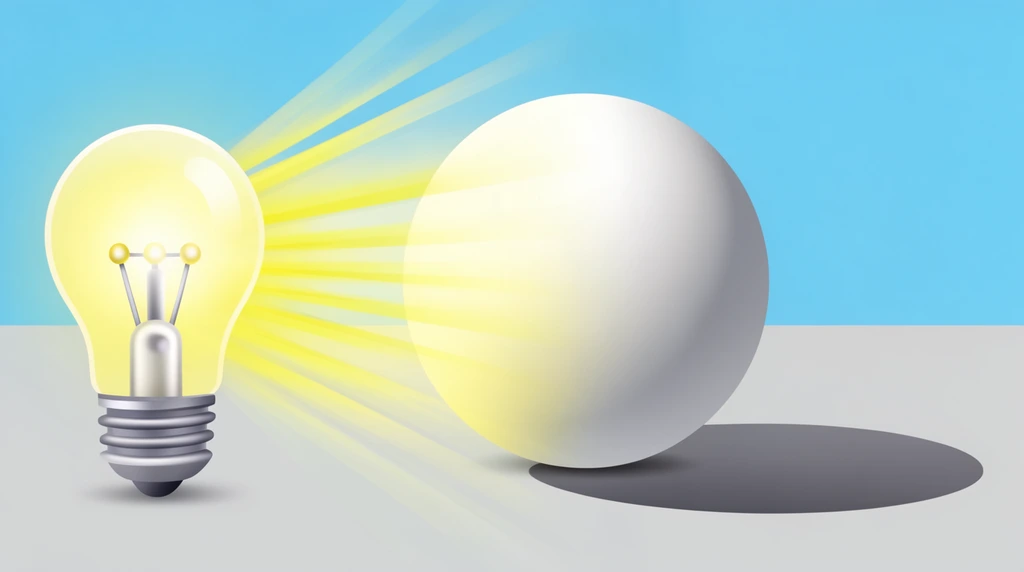
A couple of years ago, Eon's dad built a 3D wristwatch in Blender — quickly, just to get the shape down. In this video the two of them take that rough watch and make it look real. The big idea is rendering: letting the computer figure out how light would actually shine on the model. Along the way Eon learns that a 3D program has several different ways of looking at the same object, and you flip between them with one key.
One model, four ways to see it (press Z)
Eon presses Z and a little menu of view modes pops up. His dad walks him
through all four, and each one has a job:
- Wireframe — everything solid disappears and you see only the lines, the outline of the model. Dad compares it to sketching: "It's like using your pen... you get yourself a piece of paper and you quickly sketch it up." A circle, a band, and there's your watch — fast, precise, just lines. Best part: you can see right through the model to whatever is behind it.
- Solid — now the shape fills in, plain and gray. Dad calls it "like a clay where we're building, it's like a building block." The color is gone but the form is there. Unlike wireframe, solid mode is opaque, so it can block your view — "you can't see what's behind you, you have to rotate."
- Material preview — a quick, slightly cartoonish look at the colors and surfaces, lit by a built-in fake environment. When Eon spins the view he spots it: "This is like all the tree and the blue sky color." The watch's glass even mirrors those surroundings.
- Render — the realistic one, which is the star of the video.
The lesson Eon picks up: artists design in wireframe or solid, then switch to render only when they want to see the finished beauty.
Picking a color (and accidentally finding green)
Before rendering, Eon gets to change the watch face's base color — what Blender calls the material. The face starts blue, and Dad asks him to drag a new color out of the color wheel. Eon goes hunting for yellow and keeps landing in the wrong spot: "This is like green... what the heck." His dad coaches him — "a little bit lower, a little bit right" — because the exact yellow lives in one small corner of the wheel. Eventually: click. The watch face turns yellow.
It's a tiny moment, but it teaches something real: on a color wheel, where you click decides the color, and getting an exact shade takes a careful, steady hand.
What "rendering" actually means
Here's the heart of it. Render mode doesn't just paint colors on — the computer calculates how light behaves.
Rendering is the computer figuring out where a model is bright, where it's in shadow, and how light bounces and reflects — to build a picture that looks real.
Dad explains it by using himself as the example. He points to the light on his forehead, the soft shadow under his hand — "the shadow follows my fingers" — and the way his glasses reflect the room. Then he connects it back to the watch: even though Eon chose a single yellow, the spot where light hits directly looks brighter yellow, and the far side looks darker. "The color does change." That bending and reflecting of light, calculated bounce after bounce, is what 3D artists call ray tracing.
Because all that math takes time, Eon notices something every time he moves the view: the picture goes blurry first, then slowly sharpens. "So blurry!" he says. That blur is the computer thinking — recalculating the light and shadow until the image becomes clear.
Jumping around with the numpad
To show the watch from every side, Dad teaches Eon the number pad shortcuts — quick keys that snap the camera to set angles:
- 7 → bird's-eye (top) view
- 1 → front view
- 3 → side view
- 0 → look through the camera
That last one matters for the finale. In the 3D scene there's a little object shaped
like a pyramid — that's the camera. Press 0 and you jump into its
viewpoint, seeing exactly what it sees. Press F12 and Blender renders a final
photo from that camera. "Oh, look at this picture, so real!" Eon zooms in — and the
crisp image breaks into tiny squares. "It kind of Minecraft." Dad names it:
pixelated, because the image is built from many tiny pixels.
Dad also shows that Blender has different render engines: Cycles draws the glass beautifully, EEVEE is faster but doesn't handle the glass as well, and Workbench is quickest of all but the plainest. Choosing an engine is choosing a trade-off between speed and realism.
Try it
Find something shiny near you — a spoon, a phone screen, a window. Move your head slowly and watch the bright spot slide across it, then look for the soft shadow it casts and any reflection of the room. Those three things — highlight, shadow, reflection — are exactly what Blender's computer is calculating, light bounce by light bounce, to turn Eon's plain gray watch into a picture that looks real. Then ask: which is faster to draw, a quick pencil outline (wireframe) or a fully shaded painting (render)? That speed difference is why 3D artists use both.