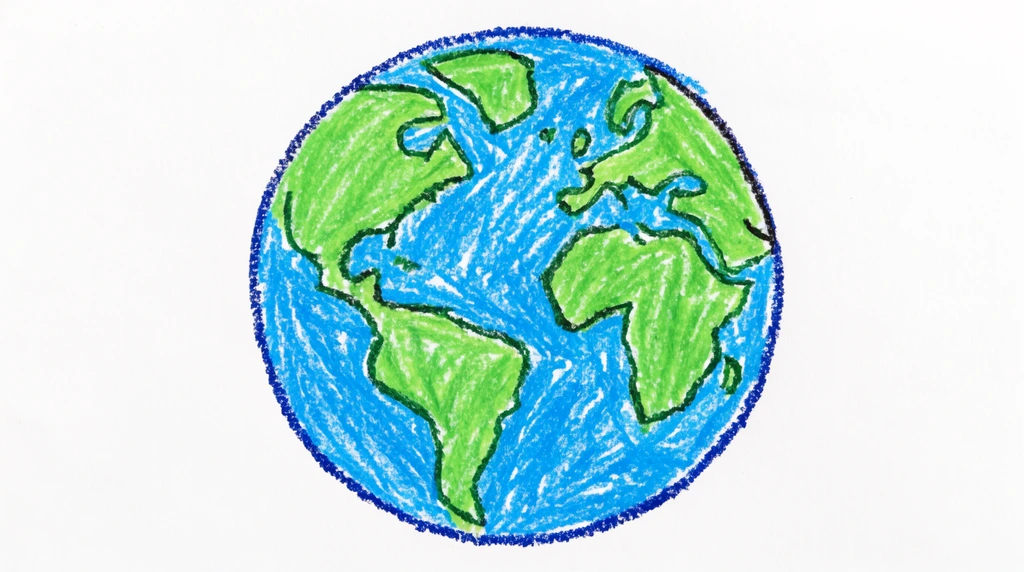
Eon has a brilliant idea: he's going to create Earth. He's using a drawing tool his dad set up where Eon sketches with a digital pen and an AI fills in the rest — turning his rough shapes into a finished picture. First they pick the scene with words: a cute Earth, in space, full of stars. Then Eon erases the canvas, the tool stutters for a second ("Is it loading? Is it a bug?"), and it's time to draw.
What color is Earth?
Before any drawing happens, Eon's dad asks the question that matters most: what fundamental colors does Earth have? Eon answers fast — green and blue. Good. But then comes the trickier follow-up: which one is there more of?
Eon thinks and says blue. That's exactly right, and here's why: most of Earth is ocean. All that water is what makes our planet look like a glowing blue marble when you see it from space. Getting this one fact straight is what makes the whole picture believable — so blue becomes the base color for the entire planet.
Build it like an artist: big shapes first
Watch the order Eon works in. It's a real technique artists use, and it goes from biggest to smallest:
- Base color first. Fill the whole circle with blue for the oceans. Eon's dad reminds him to "use a little bit of force" with the pen so the color fills in solid.
- Add the land. Dab green (a bit dark, almost brown) over the blue. Eon draws a continent and his dad cheers, "This is America!"
- Add the poles. The North and South Poles are white, because they're covered in ice — so he switches to a whitish color and caps the top and bottom.
At one point the sketch goes a little wild — it accidentally grows eyes and a face, and the shape isn't a full circle. Eon's dad spots the reason right away: "you're not drawing the full circle here." The fix is to close the shape and get that base color down properly first. Big shapes first, tiny details last — that's how a drawing stays neat instead of turning to mush.
Cute or realistic? Just change the words
Here's the part that feels like magic. Because an AI renders the final image, Eon can change the whole style just by changing the words he asks for — the prompt. With a "cute Earth," the AI gives the planet friendly eyes and a smile. Swap in "realistic Earth" and the same sketch turns into something that looks like a real photo from space. Eon tries both, then picks cute — "so much more cuter, right?"
Same drawing underneath. Different words on top. That's a first peek at how AI image tools actually work: they draw what you describe, so the words you choose are part of the art.
Try it
Pick any planet and ask yourself the base-color question before you draw a single line. Earth? Start blue. Mars? Start red-orange. The Moon? Start gray. Fill that base color in solid first, then add the smaller details — land, ice, craters — on top. If you have an AI drawing tool, try describing the same sketch two ways, like "cute" and "realistic," and see how differently it comes out.