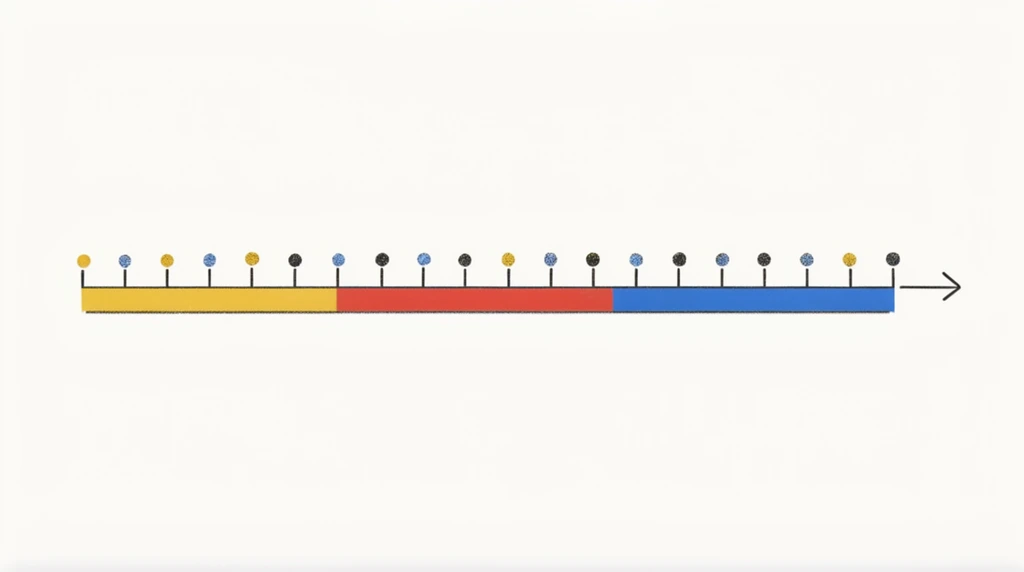
The very first Math Playground opens with one word on the screen — "Numbers" — and a question. Eon reads it, his dad says it back, and then says something surprising: "We know numbers like 1, 2, 3, 4, 5… but I'm going to introduce a visual representation of numbers." Instead of just writing digits, they're going to look at what a number really is.
The tool they use isn't a game off the shelf. Eon's dad coded it himself, and he tells Eon why that matters: once you learn programming, "you can write this yourself." You could build a model to understand gravity, or the Earth, or — like right now — numbers. Code is how you turn an idea into something you can grab with the mouse and touch.
Click, drag, and snap onto a number
The program is a line you can interact with. Eon's dad shows the moves: click, then drag a marker, and an arrow follows. Then he flips on what he calls snap mode, so when you let go, the marker clicks neatly onto a number instead of floating in between. "See this — snap to 10," he says.
Eon gives it a try and it doesn't land cleanly. "I told you I'm not good at it," he says. His dad's reply is the kind of thing worth remembering: "Doesn't really matter. It requires practice." (There's even a keyboard shortcut, Ctrl+2, that lets them draw on the screen to point things out.) The lesson under the lesson: nobody snaps it perfectly the first time — you get better by doing it again.
A number is more than a symbol
Now the big idea. We all know numbers as symbols you write: 0, 1, 2… 10… 100. Easy to scribble down. But Eon's dad asks the deeper question — what does a number actually mean?
A number isn't just a squiggle on paper. It marks a place — a specific spot on a line.
He walks Eon right down the line, pointing as he goes: "Zero is here. One's here, two is here, three is here, four is here, 10 is here." That line of places has a real math name — the axis. Every number gets its own seat on it, always in the same order. That's why the marker can snap to a number: the number was already sitting at a spot, waiting.
The "which is bigger?" trick
Once numbers are places, a great question pops out. Eon's dad asks: which is bigger, 0 or 10?
Eon answers 10 — and then, even better, he explains why on his own: "Because here, more right side." His dad lights up at that, because Eon just discovered the rule by looking instead of memorizing:
Further right = bigger. Further left = smaller.
And the line doesn't stop. Eon's dad sweeps it to the right — 10, 20, 30, 40, 50… then 100, 200, 400 — going on forever, each step a little bigger than the one before. Big numbers live far to the right; small numbers hug the left.
Why this one idea matters so much
This single picture — a number is a place on the line — is the floor that the rest of math gets to stand on:
- Comparing numbers becomes easy: just ask "which place is further right?"
- Decimals are the places hiding between the whole numbers.
- Negative numbers are the places to the left of zero.
Eon didn't just memorize that 10 beats 0. He can see why. That's the whole point of building a model you can touch.
Try it
Grab a long strip of paper and write 0 at the far left. Now, without measuring, make a dot where you think 50 should go, and another for 100. Did 100 land further right than 50? If it did, you're already doing what Eon did — treating numbers as places, not just symbols. Bonus: where would a number to the left of 0 go, and what do you think we'd call it?